Welcome to FamilyGames.com. The games and educational software on this site are by Nick Sullivan of AHA! Software. To learn more about happenings at this and our other sites, please read our blog, Half Notes.
News, announcements and specials
Recent items from our blog
The AHA! Software blog, Half Notes, covers happenings on our websites (which are listed in the navigation column at left). Here is a digest of recent items pertaining to FamilyGames.com. Some of the topics are also covered further down this page. The titles of the items link to the corresponding full article on our blog.
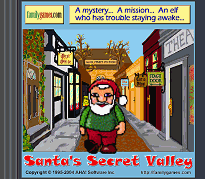
Bradley, a commercial message: Does playing Santa’s Secret Valley make you non-violent? That’s what our song ‘Bradley’ seems to imply, but it doesn’t come with a guarantee. This post has the video.
Hierophant 1.7.5.2 release notes: Hierophant v1.7.5.2 is a maintenance update of the FamilyGames.com freeware game Hierophant. Changes include tweaks to the installer (which remains compatible with Windows XP, Windows Vista and Windows 7) and minor cosmetic tweaks.
Christmas Trivia Screen Saver version 1.7: For several years, our popular Christmas Trivia screen saver has been in need of an overhaul to correct a number of small problems. Now those problems have been addressed, and a new version of the screen saver is available for download effective immediately.
The world in a small window: Want to know why World Geography Tutor uses a small window so you have to scroll the map — even on a big screen? Was it just some horrible mistake? You be the judge as Nick lays out the case.
I Live At Santa’s House! v1.8: FamilyGames.com has just posted a new release of the classic children’s computer game I Live at Santa’s House!, with improved installer and configuration utility. A limited-time 20% discount has also been announced on the product.
NoteCard 3.3 — Ear training added
As detailed on our blog, the latest version of NoteCard adds a valuable ear-training facility to the existing array of note-reading features.
Ear-training mode is now a quiz set-up option. When activated, you will need to identify each quiz note by ear — and only then will it be displayed.
You can get NoteCard, as always, at AheadWithMusic.com, or you can download it from here with this link:
After the download completes, look for NoteCard-install.exe among your downloads and open it. This will install NoteCard on your system.
If you or someone in your family is learning music, or considering doing so, why not download NoteCard and give it a try? You will soon find out for yourself how much and how quickly it can help!
“Your program, in my opinion, should be a requirement for every music student. Using your demo version of NoteCard 3.1, I have progressed from level 1 to level 16 with an accuracy rate of 94.6% (using the built-in four octave keyboard) in only 9 days. That in itself is a testimony to the power of NoteCard.“
— James Kirk, Louisville, MS
Christmas Trivia Screen Saver 1.7 — initial release
As part of our continuing effort to update our older software so that the installations are fully compliant with Windows Vista and Windows 7, we are pleased to announce version 1.7 of our Christmas Trivia Screen Saver (see the announcement on our blog). In this popular download, views of a firelit Yule scene are displayed in alternation with decorative text screens providing Christmas facts and curiosities from our trivia archives. An unobtrusive soundtrack of original MIDI carol arrangements completes the presentation. You can get the screen saver on our Freeware Lane page, or get it immediately with this link:
Download the Christmas Trivia Screen Saver
After the download completes, look for xts_inst.exe among your downloads and open it. This will install the screen saver on your system.
Valvo 1.7 — initial release
A few days ago we announced the rerelease of Sean’s Magic Slate in a version that installs cleanly and runs smoothly on all Windows home desktop systems from Windows XP forward. The series of reissues continues with our freeware strategy game Valvo, version 1.7 of which is now available to download and enjoy. Valvo is an extremely simple game to learn and play. Achieving tactical mastery takes time, but the multi-level AI opponent is always ready to give you a contest when you need one. You can get Valvo on our Freeware Lane page, or you can download it immediately with this link:
Sean’s Magic Slate 1.7 — initial release
As part of a gradual upgrading of AHA! Software’s entire FamilyGames line, we are glad to announce a new release of an old freeware favorite, Sean’s Magic Slate, which is a software coloring activity for kids three to seven. Sean’s Magic Slate was originally written for earlier versions of Windows. The new version installs properly on all versions of Windows since Windows XP. Earlier versions are no longer supported. You can get Sean’s Magic Slate on our Freeware Lane page, or download it immediately with this link:
World Geography Tutor 1.9: more of what users want
Maybe it’s the way screens have been getting so much bigger the last few years, but we’ve been hearing from more and more users who find the size of the World Geography Tutor main window to be just a little on the small side. And in fact it is — deliberately so. The reason has to do with efficiency of memorization, and you can follow it up in this blog post if you’re interested.

The default size of the World Geography Tutor window: too small?
All such reasoning aside, however, it seemed like this might be a case where one size does not fit all. Accordingly, in World Geography Tutor 1.9, we’ve added an option to toggle an increased window size. Click the little ‘OPTS’ button
at the bottom-right of the WGT window. That brings up the options dialog, which now includes a ‘Use larger view’ checkbox. Check the box, click OK, and WGT will switch to a somewhat larger display. We don’t claim that the display becomes literally huge. That would be something of an exaggeration. But it’s definitely somewhat larger!
In addition to the size option, and updates to the geography database itself, this release also provides an improved installer with better Windows 7 compatibility. If you already own World Geography Tutor, you can download and install the update for free. And if you haven’t tried WGT yet, why not take a little time to explore the evaluation version now? If you like it, a one-time $15.00 USD license fee gets you a permanent license, including upgrades, for all your family’s Windows XP and later computers. And just to make your world a little happier place, we’ve also created a special 20% discount for those who help us get the ball rolling by ordering the product before the end of September. Enter AHAS-4BES-WGTA when asked for a coupon code on the order form (which is securely hosted by RegNow).
![]() |
World Geography Tutor: As modern communications technology shrinks the world year by year, the nightly news brings the names of once-exotic places into our lives — places like Azerbaijan, Djibouti, Turkmenistan and Sierra Leone. Unfortunately, even after years of schooling, many of us still have only a hazy knowledge of the nations of the world. World Geography Tutor has complete world coverage and an enhanced interface making it more educational, more fun and easier to use than ever before! Don’t miss out! Get it for your kids, or get it for yourself, but get it today!
I Live At Santa’s House! latest release
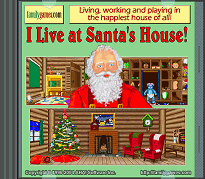
We’ve just released a new version of one of our most popular games, I Live at Santa’s House!, which gives little ones a chance to find out what life is like for an elf living and working in Santa’s House at the North Pole. Testing toys, wrapping gifts and baking cookies are just a few of the activities an elf can enjoy, so it’s no wonder that this game has been a seasonal favorite for many families year after year. Kids love the idea of helping Santa, especially when it’s so much fun!
This release provides an improved installer with better Windows 7 compatibility, and a smoother system for customizing I Live at Santa’s House! for multiple kids (no more hand editing of shortcuts!). If you already own I Live at Santa’s House!, you can download and install this upgrade for free. And if you haven’t tried the game yet, why not take a little time to explore the evaluation version now? If you like it, a one time $16.00 USD license fee gets you a permanent license, including upgrades, for all your family’s Windows XP and later computers.
![]() |
I Live at Santa’s House! offers kids the delightful fantasy of being an elf in Santa’s House, decorating the tree, baking cookies, wrapping gifts, testing toys in Santa’s Workshop, and more. Brigid Skelton’s gorgeous illustrations capture the timeless appeal of an old-fashioned Christmas all year long. Ages 3-7.
Christmas Trivia Screen Saver picks up award
This might not be exactly the season to be jolly, but we’re happy around here that Download Route, easily one of the best organized and usable download sites we’ve encountered, have examined our free Christmas Trivia Screen Saver and given it their EXCELLENT award. Lots of people run our screen saver every year for the fireside scene, the mischievous mouse, the trivia information and the carols. This year, why not join them? (Download our Christmas Trivia Screen Saver.)
I Live At Santa’s House! wins FreeFunFiles ‘Editor’s Pick’
We’re honored that FreeFunFiles.com, a software site we hold in high regard, has for the second time in a year (see Alphen item below) conferred their monthly Editor’s Pick award in the Children’s Games category on one of our products. This time, appropriately for the season, FreeFunFiles is recommending I Live at Santa’s House!, our Christmas-time ‘activity center’ for little ones aged 3 to 7. It’s a peaceful game, but an involving one, as your child takes the role of an elf living and working with Santa at the North Pole. The original pastimes and activities in this seasonal favorite bring positive fun to Christmas-loving tykes everywhere.
NoteCard 2.5 Available Now!
The latest and greatest edition of our popular NoteCard program is version 3 (see announcement below), but unfortunately it isn’t available for those users with Windows 95 and Windows 98. As a service to those users, we have now released the special freeware edition NoteCard 2.5, which is to be the culmination of the NoteCard 2 line. If you have Windows XP, Windows Vista or Windows 7, NoteCard 3 is the one to get, with its extra features and fun, but for the fast-vanishing remainder NoteCard 2.5 delivers the essentials of the old product in an all-new package. See our Freeware Lane page for details.
Enliven your spirits with games for all ages!
The spirit of Christmas...
Santa’s Secret Valley • All Aboard For Santa • I Live at Santa’s House!
The spirit of wonder...
I Live at Santa’s House! • Twisted Tails
The spirit of adventure...
Uncle Julius and the Anywhere Machine • Santa’s Secret Valley • All Aboard For Santa
The spirit of learning...
Alphen • Spell-Mell • I Live at Santa’s House! • World Geography Tutor
Some browsing suggestions
Thanks for taking the time to review the latest information from FamilyGames.com. Here are some suggestions for further browsing:
- Read our blog for complete ongoing news about AHA! Software and its websites, including this one.
- Browse for games in our game shop.
- Read past items from our news and information page.